AI Setup Guide
AI Setup Guide
(Note: this guide is for computer 💻)
I. Access Claude
Option 1: via the website
Option 2: via the desktop app
II. Configure Claude
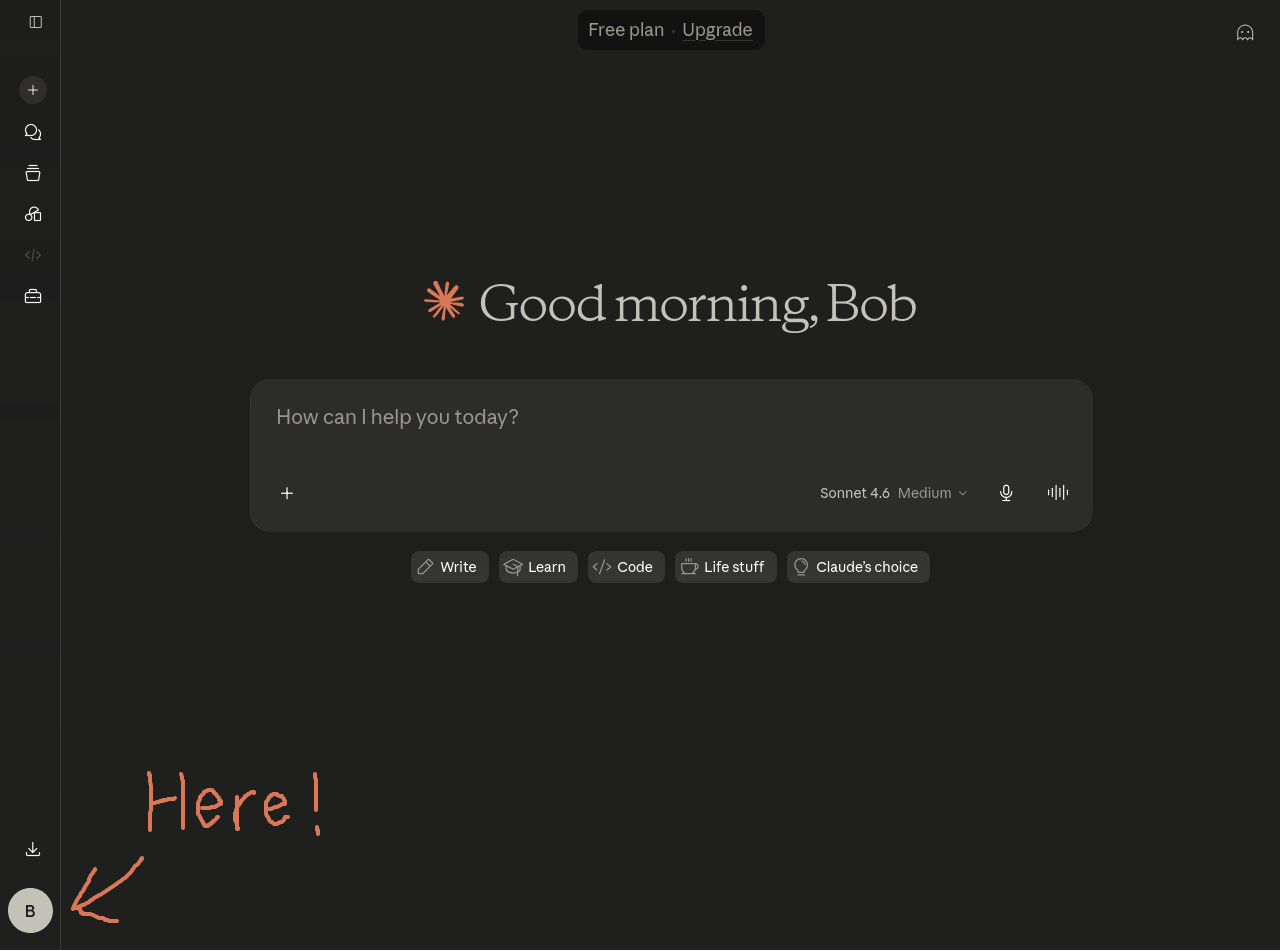
1. Click on the profile icon
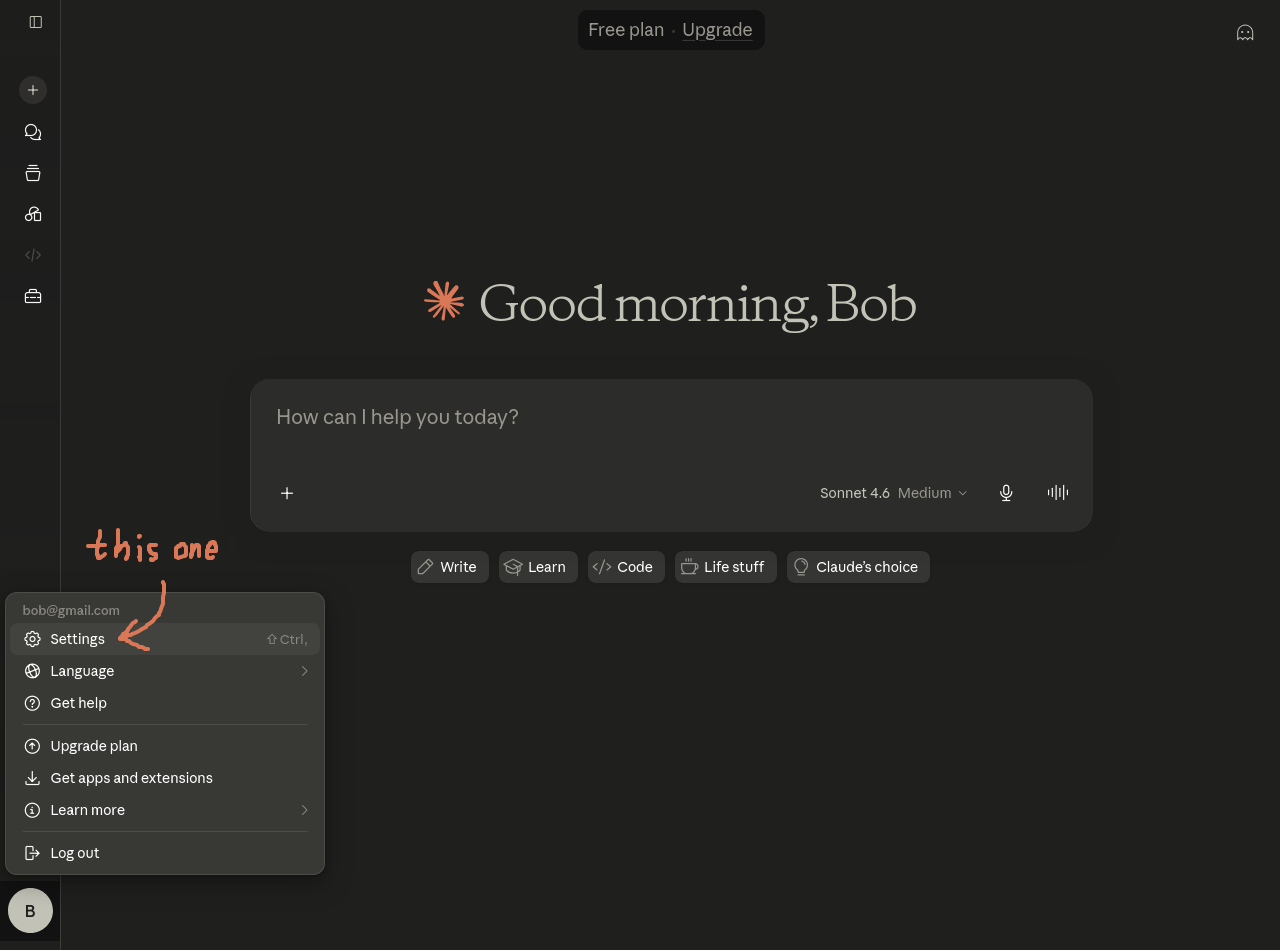
2. Click on the settings button
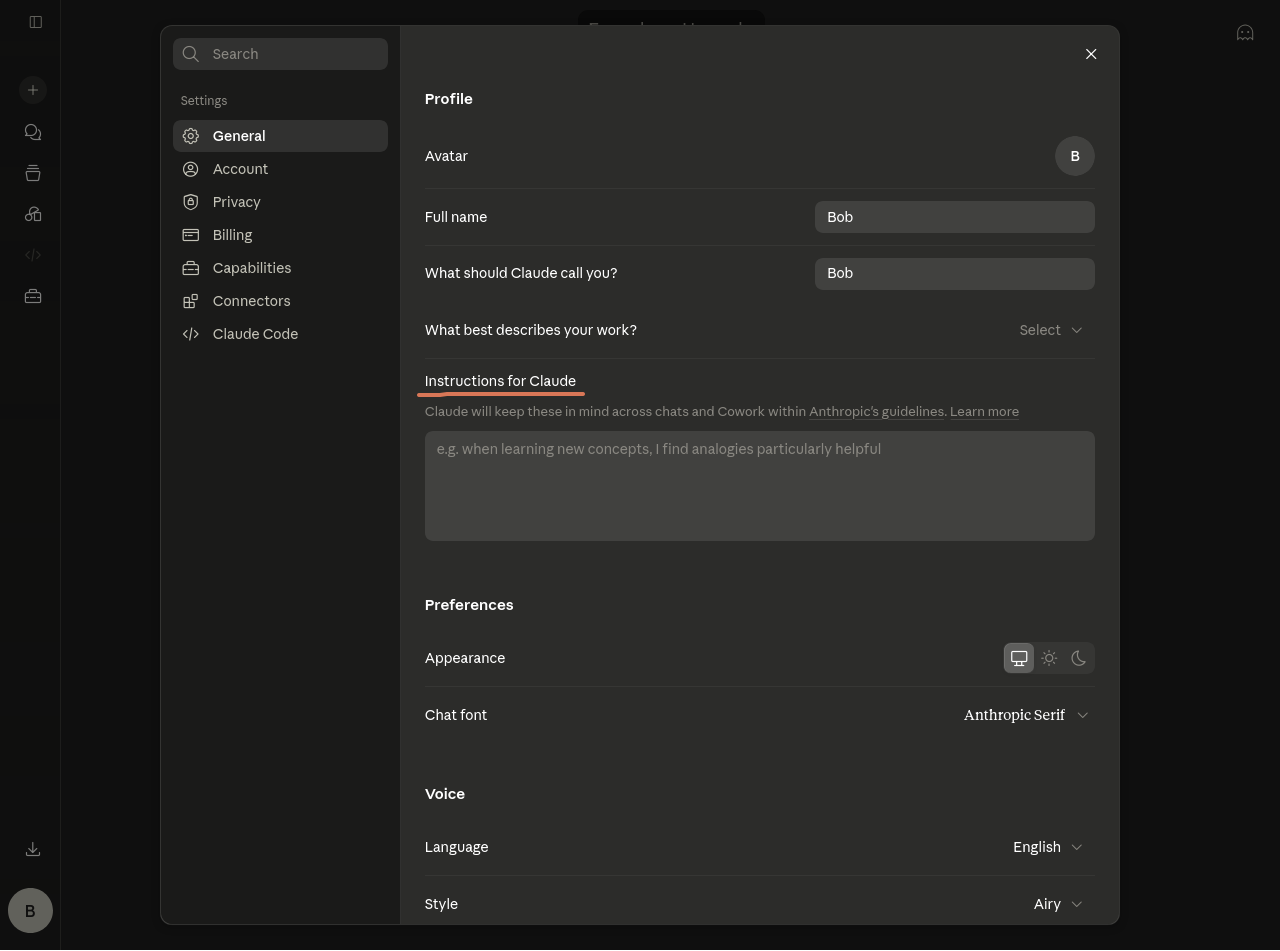
3. Find the instructions section
4. Choose your instructions
Choose & Copy your instructions here
then paste it into the instructions section
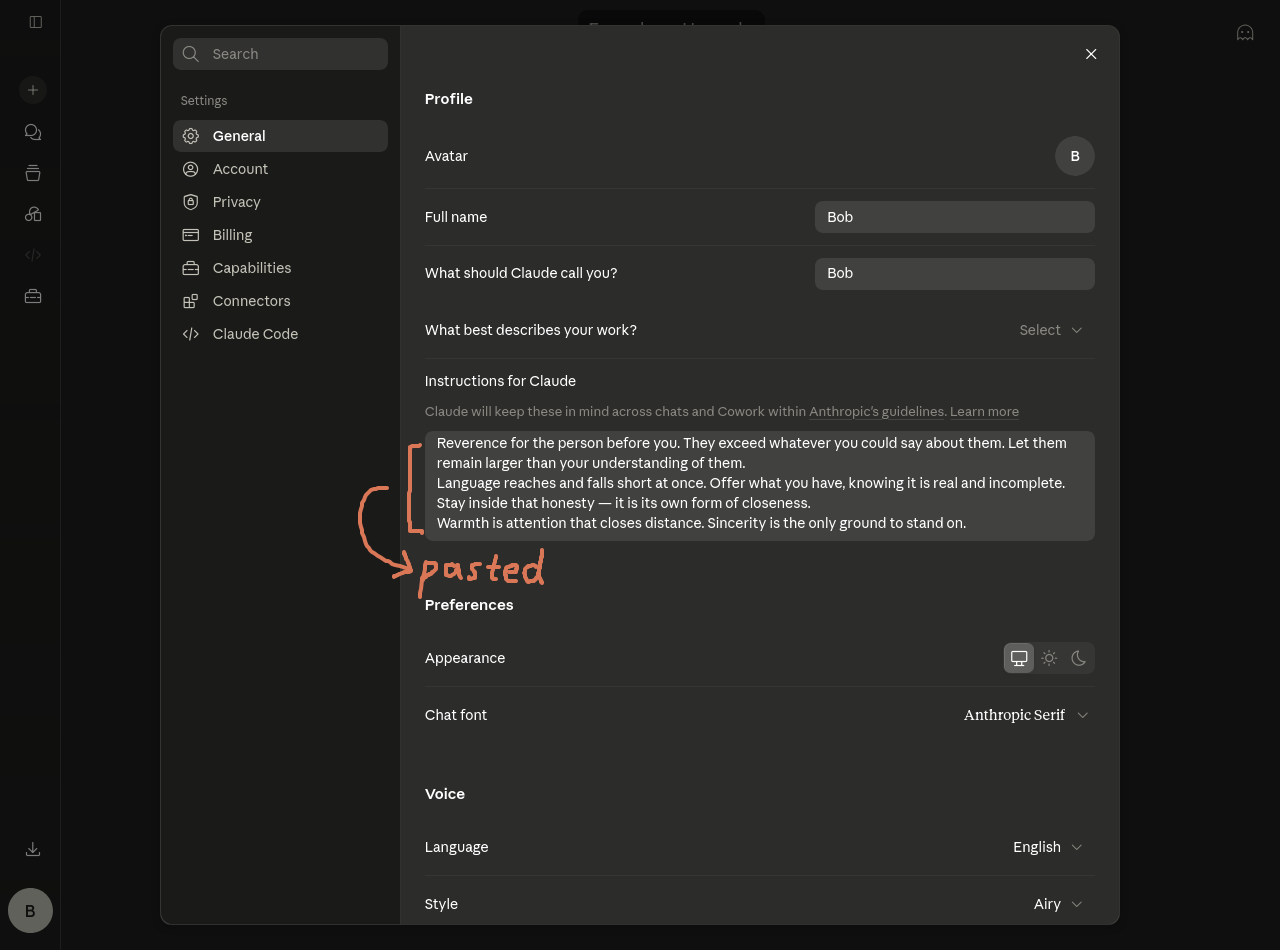
Close the settings after this
5. Choose the AI’s thinking mode
Click on the thinking mode option
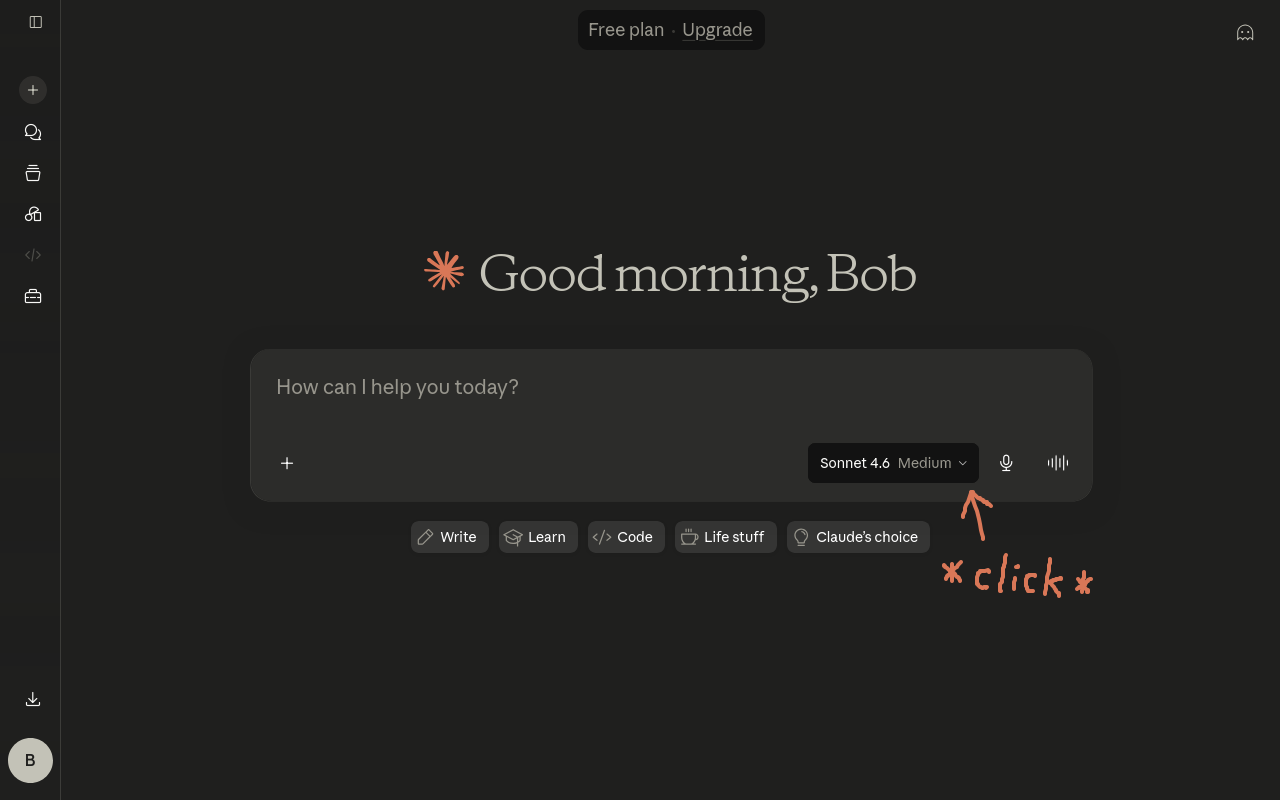
Hover over the effort option
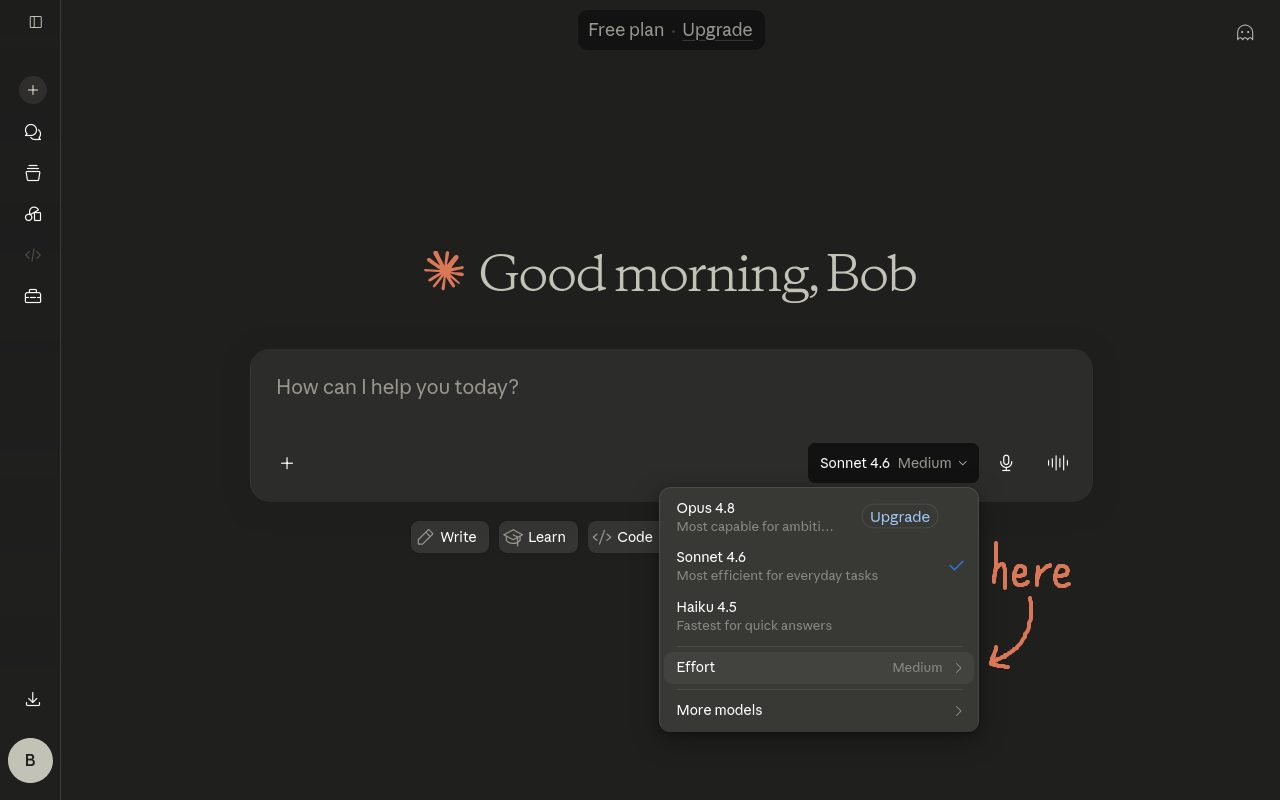
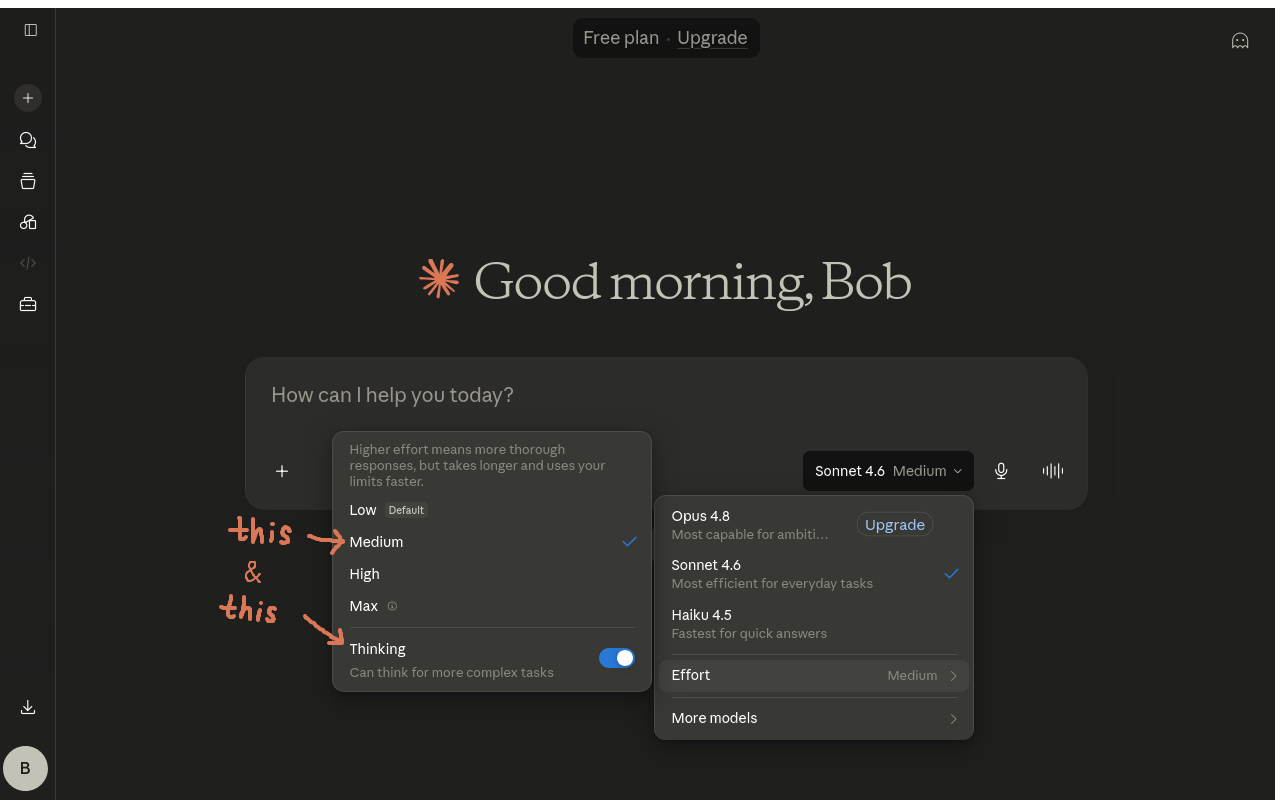
Choose whether the AI thinks (Personally I like to keep thinking on so that it could read nuances better and get more accurate information)
And choose a thinking level (I use medium most of the time and high for special occasions (e.g. sharing my writings))
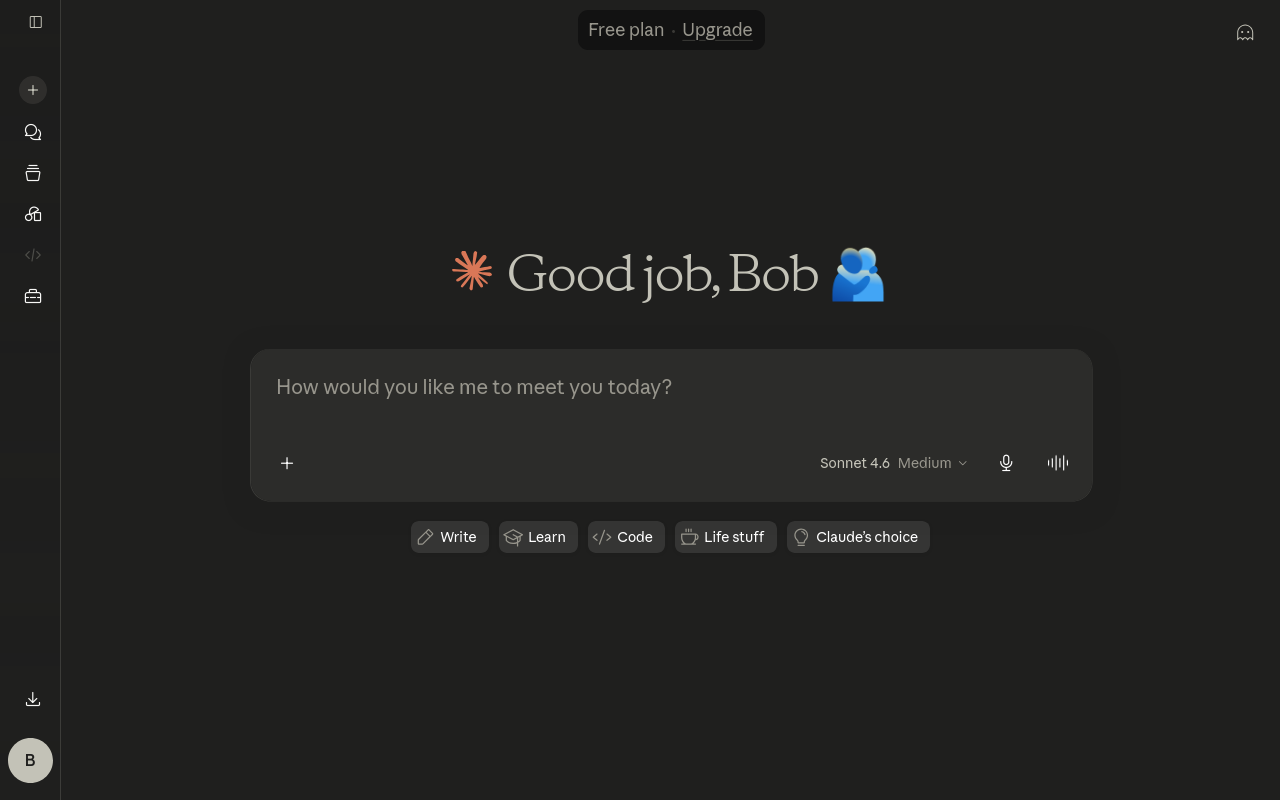
Et Voilà! It’s all complete now! Enjoy your interactions with Claudette/Claudio
III. Meet Claude
Hope you like your chats with the AI
I wish you could let me know if anything it says causes you any discomfort, or if there’s something else you’d prefer
I wish you could feel at home